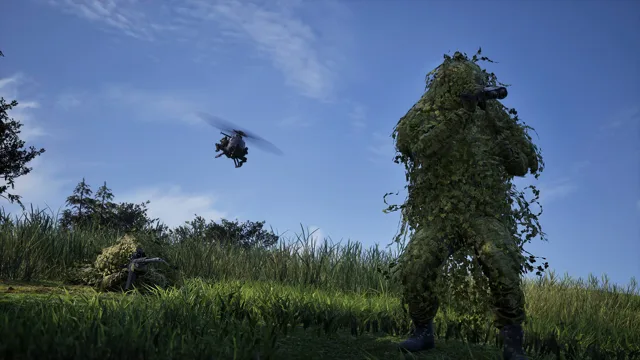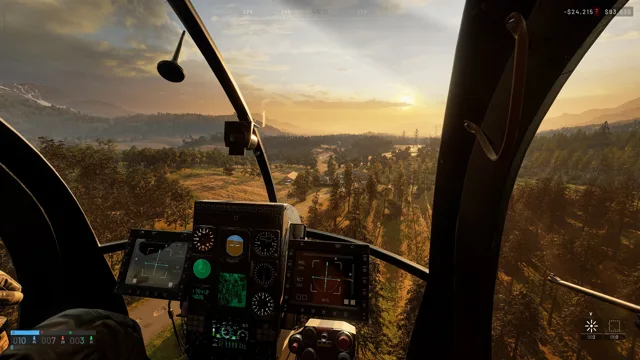
Six helicopters: prices and unlocks
The price is what you pay every time you buy the helicopter, i.e. for each of its "lives". The unlock is a one-time payment once you reach a level on the Pilot path. As of Season 2:
| Helicopter | Price each | Unlock | Seats | Weapons |
|---|---|---|---|---|
| MH-6 | $6,250 | from the start | 6 | none |
| Little Bird AH-6M [Miniguns] | $12,000 (was $7,000) | Pilot 8, $125,000 | 2 | 2× M134D minigun |
| Z20 Lakota | $7,400 | Pilot 10, $35,000 | 13 | none |
| Little Bird AH-6R [Rockets] | $18,800 (was $12,500) | Pilot 20, $250,000 | 2 | rocket pods |
| Z20 Lakota [Miniguns] | $15,000 (was $8,000) | Pilot 25, $85,000 | 13 | 2× M134D minigun |
| Havoc | $28,000 (was $18,000) | Pilot 35, $650,000 | 2 | 30 mm cannon and 122 mm rockets |
- Prices and unlocks of the armed helicopters come from the Season 2 patch notes. The AH-6M moved from level 4 to 8 because it "was too strong for how early it unlocked".
- The patch does not change the base MH-6 and Lakota. A player guide lists their values, but part of the community considers them unconfirmed in Season 2.
- Seats and weapons according to a player guide. The name of the AH-6R rocket pods is disputed (LAU-68 or B-13).
- Players call the MH-6 and AH-6 the "Little Bird", the AH-6R the "rocket bird" and the Lakota the "black hawk".
The Lakota is the fastest (445 km/h), the Havoc the toughest (800 HP). Little Birds go critical after one RPG-7 or Verba hit, the Lakota and Havoc after two.
Controls: keyboard and controller
By default the helicopter flies on the keyboard only; mouse control is off. Default bindings according to IGN:
| Action | Keyboard | Controller |
|---|---|---|
| Take off and climb | Left Shift | RT |
| Descend and land | Left Ctrl | LT |
| Nose down / up (pitch) | W / S | left stick forward/back |
| Roll | A / D | left stick left/right |
| Turn (yaw) | Q / E | LB / RB |
| Flares | V | D-Pad up |
| Change camera | C | D-Pad right |
| Change seat | O | B / Circle |
| Interact (drop supplies, engine, inventory) | F | X / Square |
| Lock vehicle for passengers | L | Y / Triangle |
| Free look | Left Alt | D-Pad left |
The IGN table is from September 13, 2026. Season 2 changed some controller bindings (including Open Inventory, Drop and D-Pad Up (Hold) = Deploy Crate), so check them in game. You can rebind keys in Settings → Controls → Keybindings, in the Rotary Vehicle section at the bottom of the list.
Mouse settings
You turn the mouse on with Rotary Vehicle Mouse Control (Settings → Controls → Settings). The "Freelook on by default" option disables mouse control. The Steam guide author's advice: start without the mouse and learn WASD and Q/E first.
Two tested presets (these are the authors' preferences, not the only right values):
| Option | Steam guide | GameSpot |
|---|---|---|
| Mouse swipe left/right | yaw | yaw |
| Mouse swipe up/down | pitch | pitch |
| Mouse pitch sensitivity | 100% | about 80% |
| Mouse yaw sensitivity | 100% | about 80% |
| Mouse axis isolation | 100% | 70% |
For more control you can turn off auto-hover assist, envelope limits and turn coordination. Leave flight stability on. Many experienced pilots switch to a "Battlefield" layout: collective on W/S, yaw on A/D, mouse for roll and pitch. For graphics and FPS, see the best settings.
How to learn to fly: the Firing Range
There is no separate training mode. You practise on the Firing Range, where mistakes cost nothing:
- In the menu, choose Firing Range (bottom left corner).
- Walk left to the Vehicle Vendor, who gives you any vehicle for free.
- Pick the Air tab and get in on the pilot's side.
Your first flight:
- The helicopter is locked by default: unlock it with L.
- Hold climb (Left Shift): the engine starts and the helicopter lifts off. Let go to hover.
- To fly forward, hold climb and tap W. Too much pitch ends in a crash, so correct with S.
- A turn combines roll and yaw (e.g. D + E). Every input has to be countered afterwards.
- Landing: S raises the nose and bleeds speed, Left Ctrl brings you down, and short taps of Left Shift slow the descent. Watch your speed and the bars at the bottom of the screen.
Landing even a little too fast damages the helicopter. Pick landing spots free of trees, rocks, buildings and debris that destroy the rotor. Practise on uneven ground too. The Lakota is heavy and you have to plan manoeuvres ahead; the Little Bird is more forgiving.
Outside the game there is a free, unofficial browser simulator, Wardogs Flight Sim, with 11 exercises (including hover hold and clean touchdown) for all six helicopters.
Squad transport and air logistics
Ferrying players and supplies to the zone earns money and XP. You drop supplies with F. Season 2 cut individual rewards but added delivery streaks:
| Delivery | Season 2 reward | Streak (each one in a row) |
|---|---|---|
| Player delivered | $100, 25 XP (was $150) | +$25 and +5 XP, up to 25 players |
| Small crate | $250, 150 XP by air | +$100 and +50 XP, up to 10 |
| Large crate | $500, 300 XP by air | same as above |
| Pallet | $1,250, 400 XP (was $2,500) | +$250 and +100 XP, up to 10 |
| Return trip | no data | +$50 and +25 XP, up to 10 |
These are the values for deliveries to a Control Zone. A pallet delivered to a FOB outside the zone pays less. A Lakota carries one pallet per trip. Drop it from 15–30 m, because according to players it breaks above about 90 m (a Season 1 measurement). The author of the Russian guide estimates a round trip at 2–3 minutes, but losing a Lakota costs $7,400.
Parachutes in Season 2
- The parachute takes longer to open and will not open below about 10 m.
- If you are falling fast and open it below about 50 m, you will not slow down in time and will take damage.
- The Basic Parachute costs $500 (was $100), the Sport Parachute $700 (was $1,000).
The developers put it plainly: "Make sure you trust a pilot before getting into their aircraft". Pilots, hover low or land: according to GameSpot, a passenger can safely jump from about 5 m. Take a parachute yourself too, so you can survive being shot down.
Anti-air and how to avoid it
| AA | What it is | Season 2 |
|---|---|---|
| 9K333 Verba | man-portable launcher (MANPADS) | Support 14, $800, 1,000 m range, locks onto helicopters only (player data) |
| Talon 9K-SAM | buildable | 650 supplies, 5 s reload (was 2 s) |
| Vanguard CIWS | buildable (cannon) | 1,200 supplies, destroys a Havoc in about 6 s |
| Flakpanzer Gepard | anti-air vehicle, new in Season 2 | Driver path 25 ($300,000), $14,000 each |
"AA Tower" is not a structure in the game; it is a player term for AA positions on or next to towers.
How to survive:
- Beeping means someone is trying to lock on. A continuous tone means you are locked: fire flares (V), but not all at once. In Season 1 helicopters carried 2 flares.
- Getting locked often means you are flying too high, too slow, too predictably or over the enemy.
- Without flares, hide behind terrain and buildings: without line of sight it is hard to lock onto you. Note that the Comp Bible player guide advises assuming low flight is not safe, because the minimum operating altitude of CIWS and SAM is unknown.
- Left Alt (free look) lets you spot an incoming missile.
- The 3D map wardogs.n4lab.dev has an ANTI-AIR mode that shows Verba and Talon coverage for a chosen flight altitude.
- The cockpit glass works both ways: shooting through it from inside damages your own helicopter.
In the first days of the season, players say the Gepard is easy to avoid and has little fuel. These are opinions, not game data. For ground targets a rocket pilot can hunt, such as artillery, see mortar and artillery.
Will WARDOGS get jets
On the Steam Early Access page, BULKHEAD says it plans "new vehicle types including fighter jets", but with no date. Asked about jets in Season 2, studio head Joe Brammer replied on X on October 4, 2026: "100% no" (as reported by GAMES.GG). The planes you see flying over the map are just decoration. For pilot progression changes, read classes and leveling and the Season 2 changes.